
Connect Bokun
Overview
Connecting Bokun to Magpie enables product synchronization between the two platforms. The setup process involves generating API keys in Bokun and entering them in Magpie.
Setup Steps
In Bokun
- Navigate to Settings then Connections then API Keys
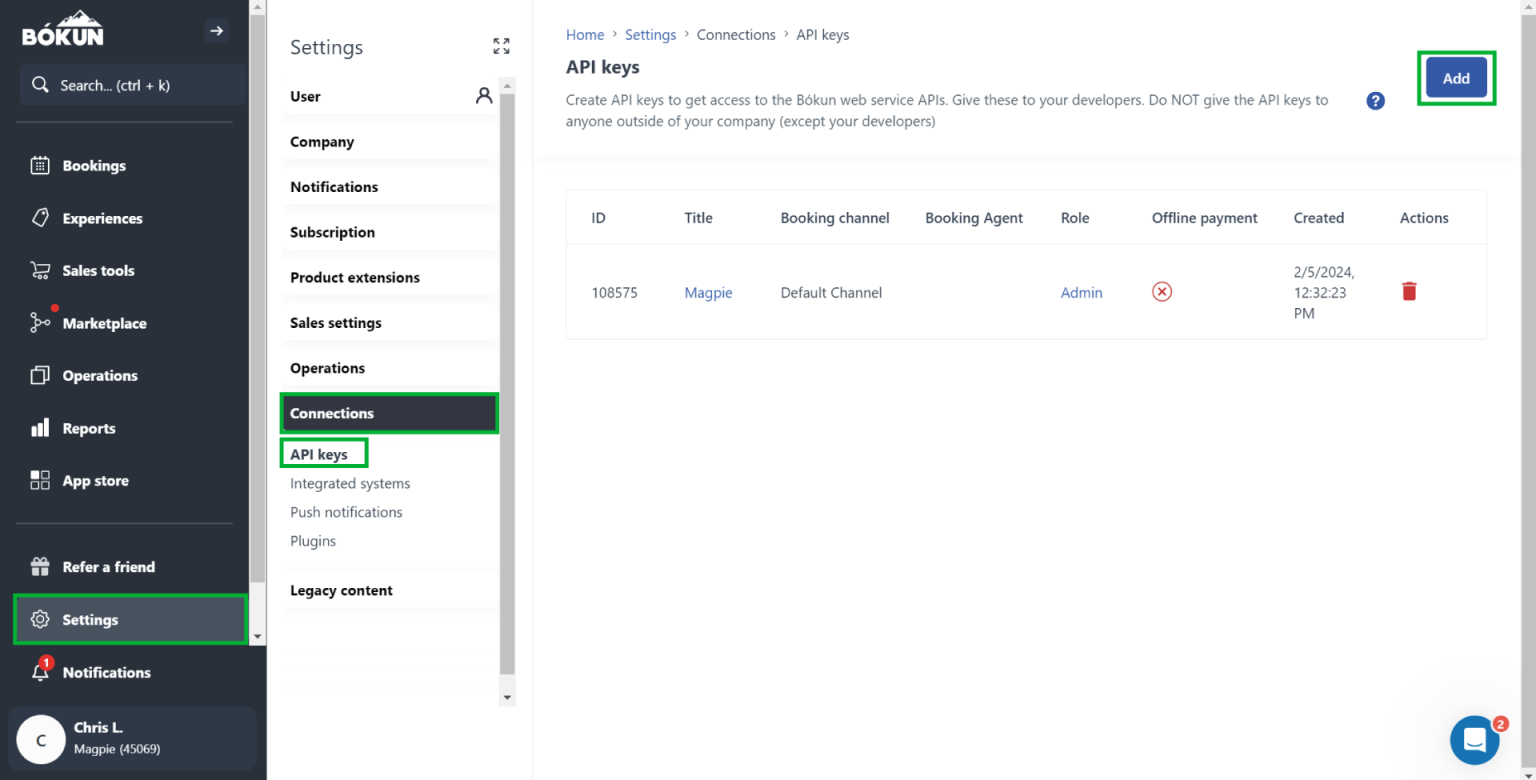
- Click the Add button to create new API credentials
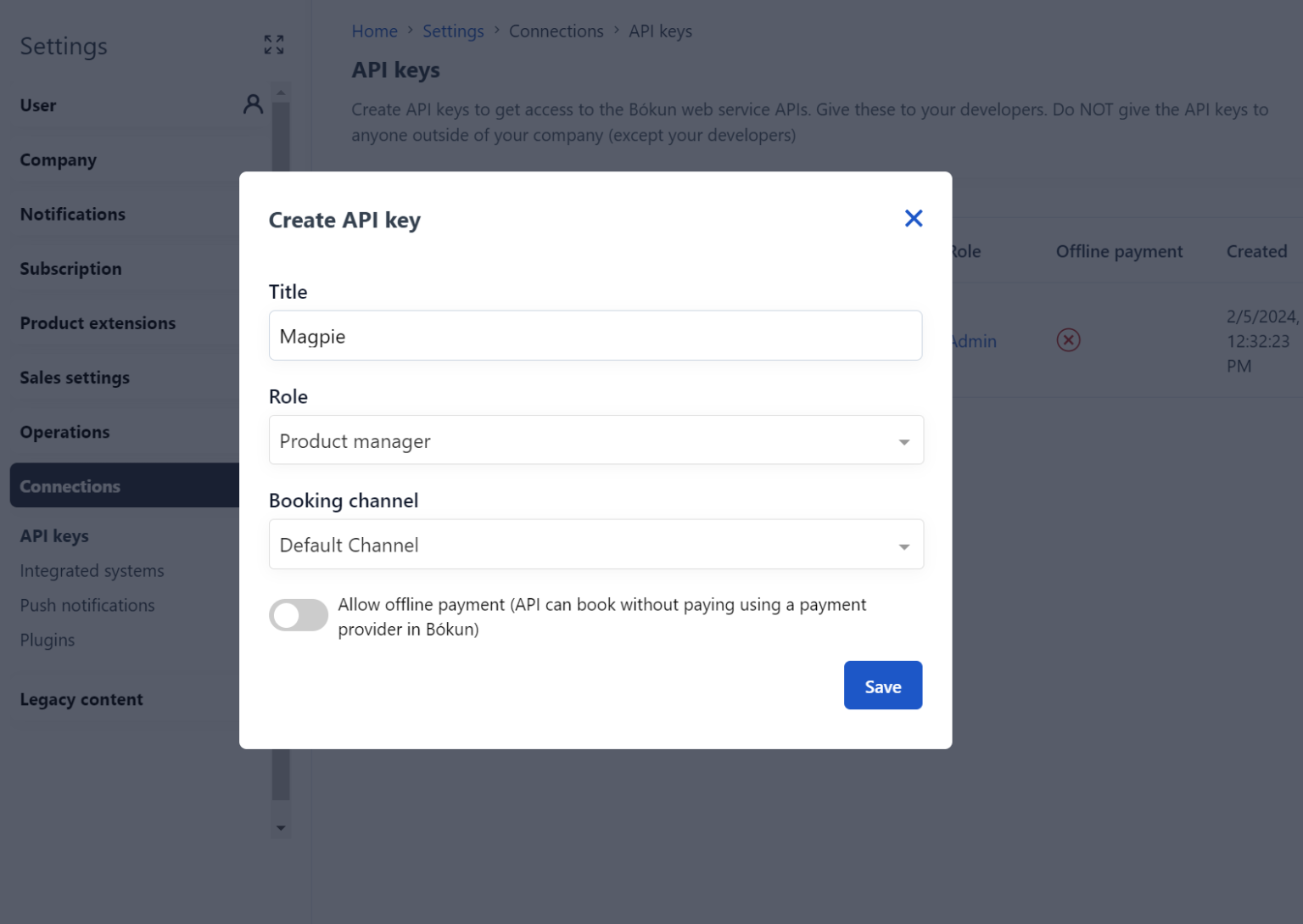
- Fill in the required connection information
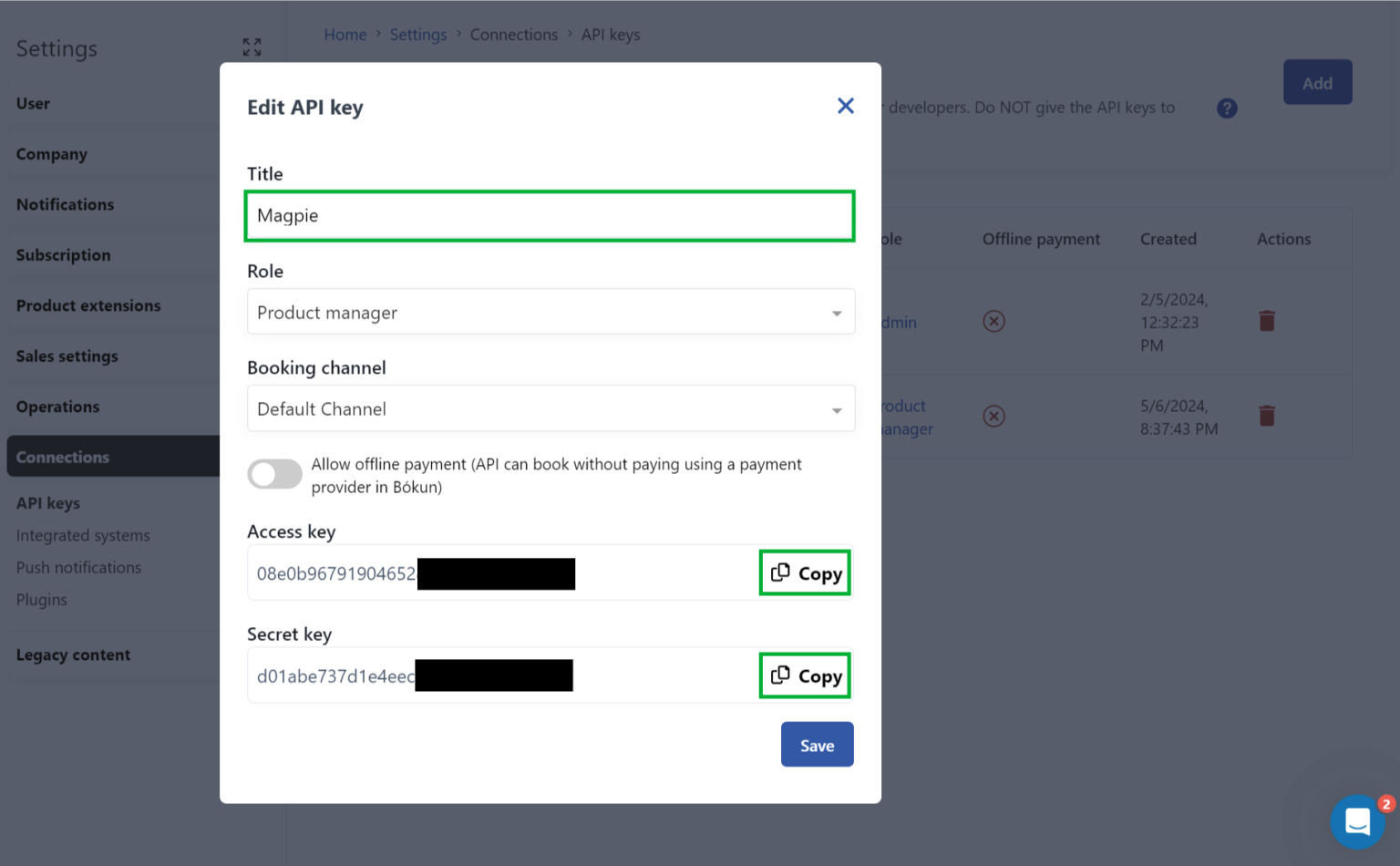
- Copy the generated API keys and credentials
In Magpie
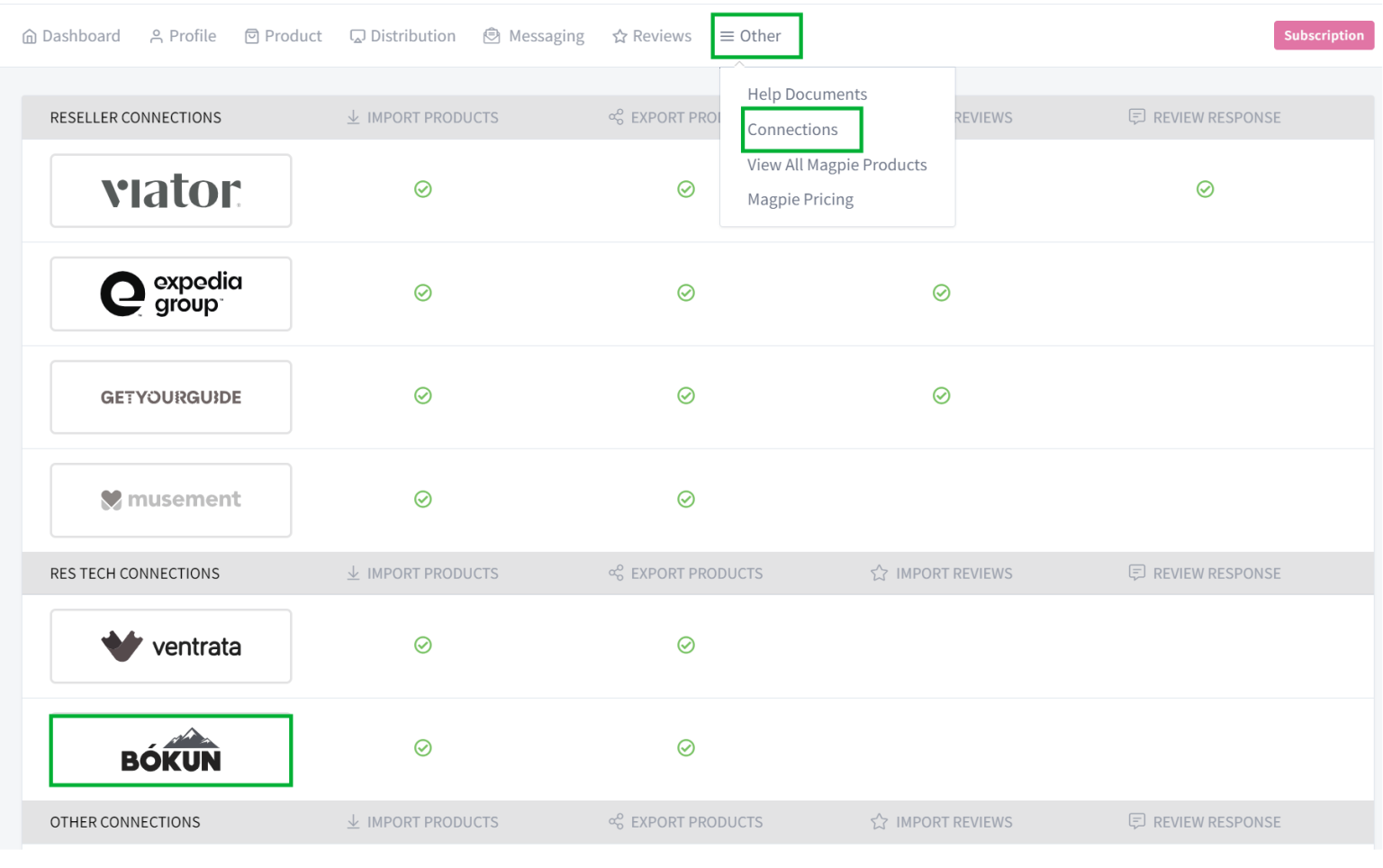
- Go to Other then Connections
- Locate and click the Bokun integration option
- Paste the API credentials you obtained from Bokun
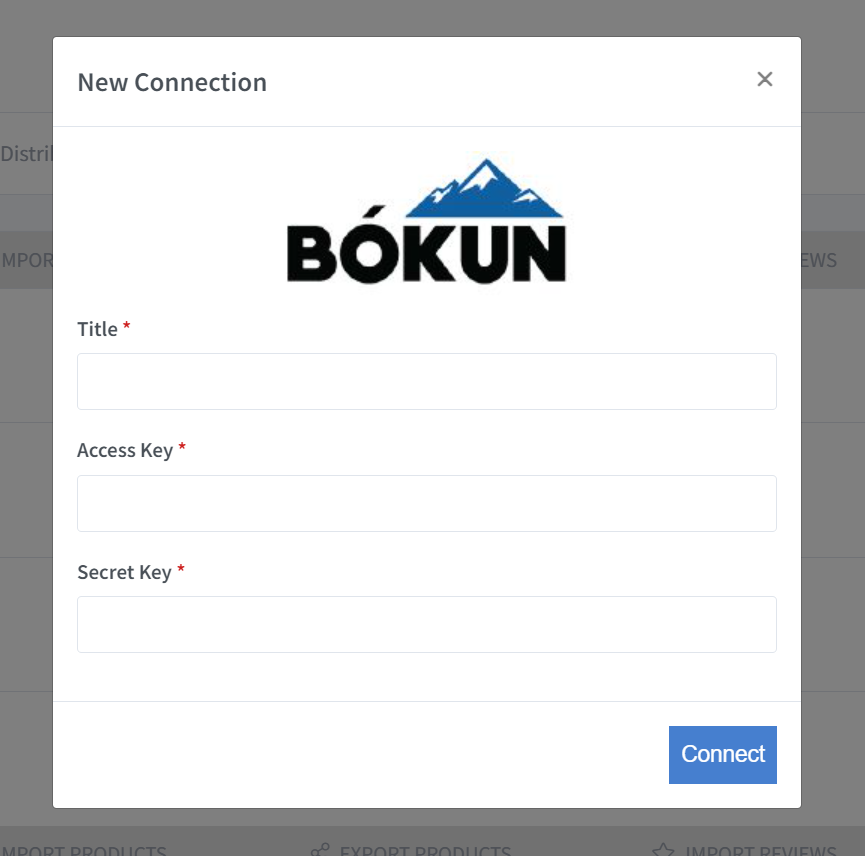
- Click Connect to finalize the link
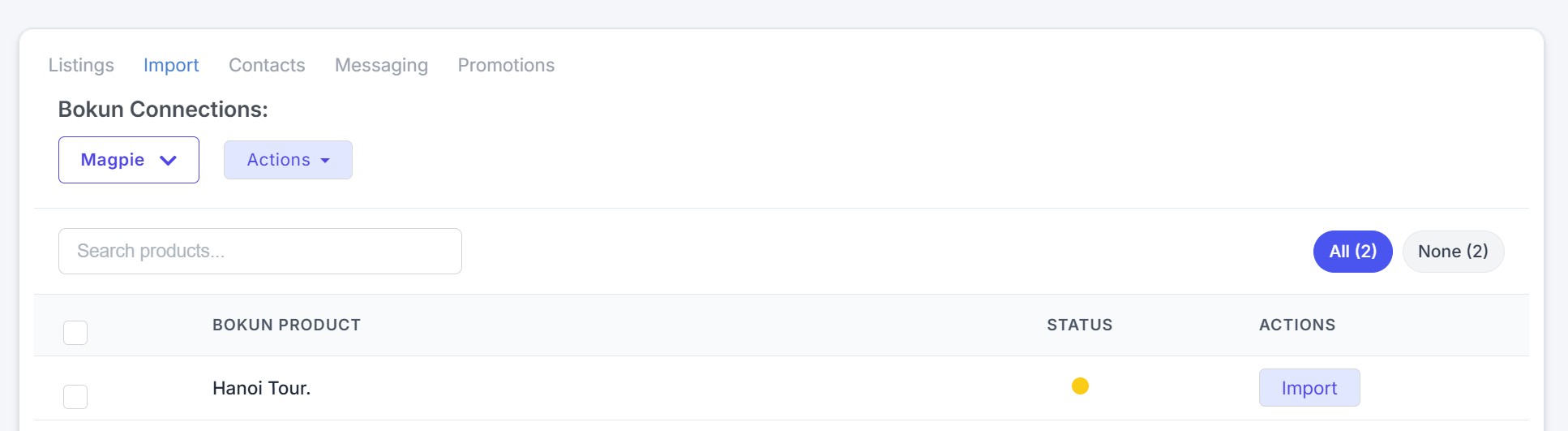
After Connection
Once your accounts are successfully linked, you can manage your product catalog in two ways:
- Map Existing Products - Select Map Now to link products that already exist in both Bokun and Magpie
- Import New Products - Choose Import as New to bring Bokun products into Magpie that do not yet exist in your catalog
Benefits
- Synchronize product data between Bokun and Magpie
- Manage content updates from a single platform
- Avoid duplicate product entries through the mapping feature