
Share Product Information
Overview
The share products feature allows you to send product information directly to connected resellers and specified email addresses. This works as an announcement-type communication to keep your distribution partners informed.
How to Share Products
Step 1: Initiate Sharing
Click the Share Product button at the top of your product list. Note that this button only appears when you have products set to Active status.
Step 2: Select Recipients
Enter email addresses manually or choose a pre-configured contact list for distribution. You can combine both methods to reach all intended recipients.
Email Recipients
Select Contact List:
And / or Share to these email addresses:
Step 3: Compose Your Message
Fill in the following fields:
- Email subject line
- Message content
- Signature information
Email Content
Subject
Message *
Please use the links below to view and download our product information and images.
Signature
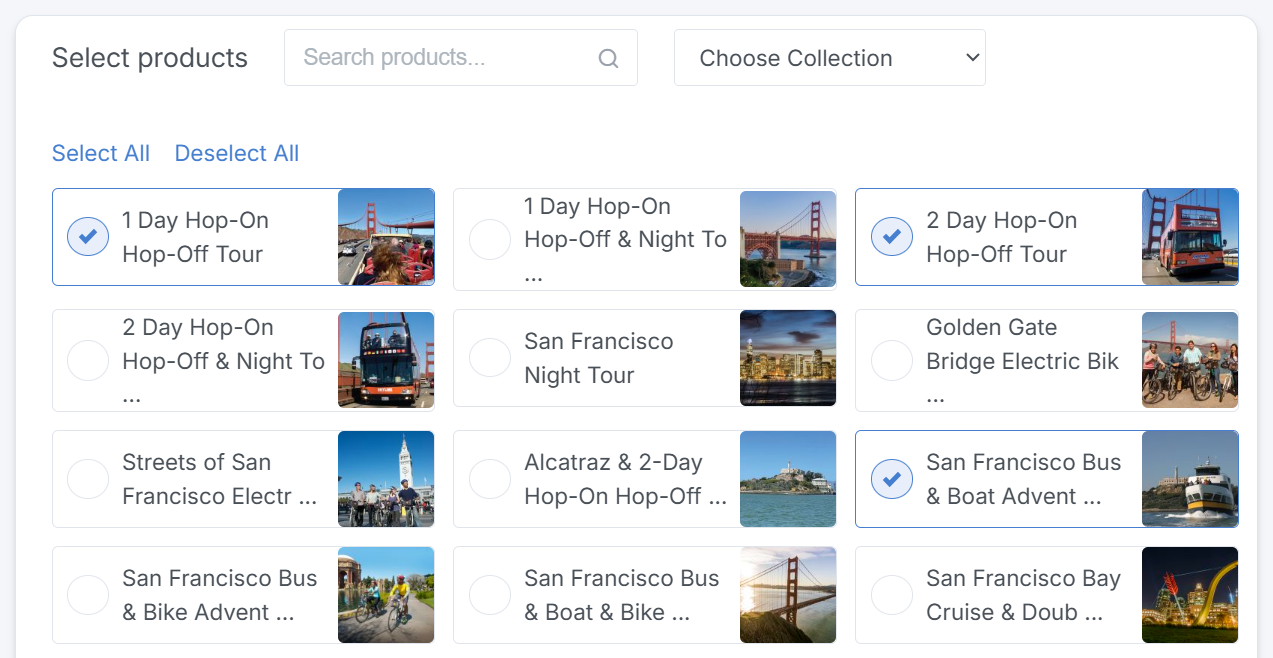
Step 4: Choose Products
Select which products to include in the share:
- Use Select All to send your entire catalog
- Use the search function to find specific products
- Filter by collection for organized selections
Step 5: Review the Summary
The right panel displays a summary showing your recipient count, selected products, and message content. Review this carefully before sending.
Share
1 Resellers
3 Share Products Email(s)
Message
Subject line: Share Products
Message: Please use the links below to view and download our product information and images.
Step 6: Preview and Add Attachments
Preview the email as recipients will see it. You can also add attachments such as rate sheets, documents, or other files using the Add Attachments option.

Step 7: Send
Click Send Email at the top of the page to distribute your product information to all selected recipients.