How to Get Listed on Google Things to Do
Three Ways to Get Listed
When it comes to getting your products listed on Google Things to do, experience operators have three options:
- Your Google Business Profile - Create listings directly on your own profile
- Your ResTech (Booking Software) - Some providers offer a Google Things to do integration
- A Connectivity Partner like Magpie - Dedicated platform for managing your Google presence
Each option comes with its own level of reach and control. Below is our guide to the different Google Things to do surfaces and your ability to get listed on each.
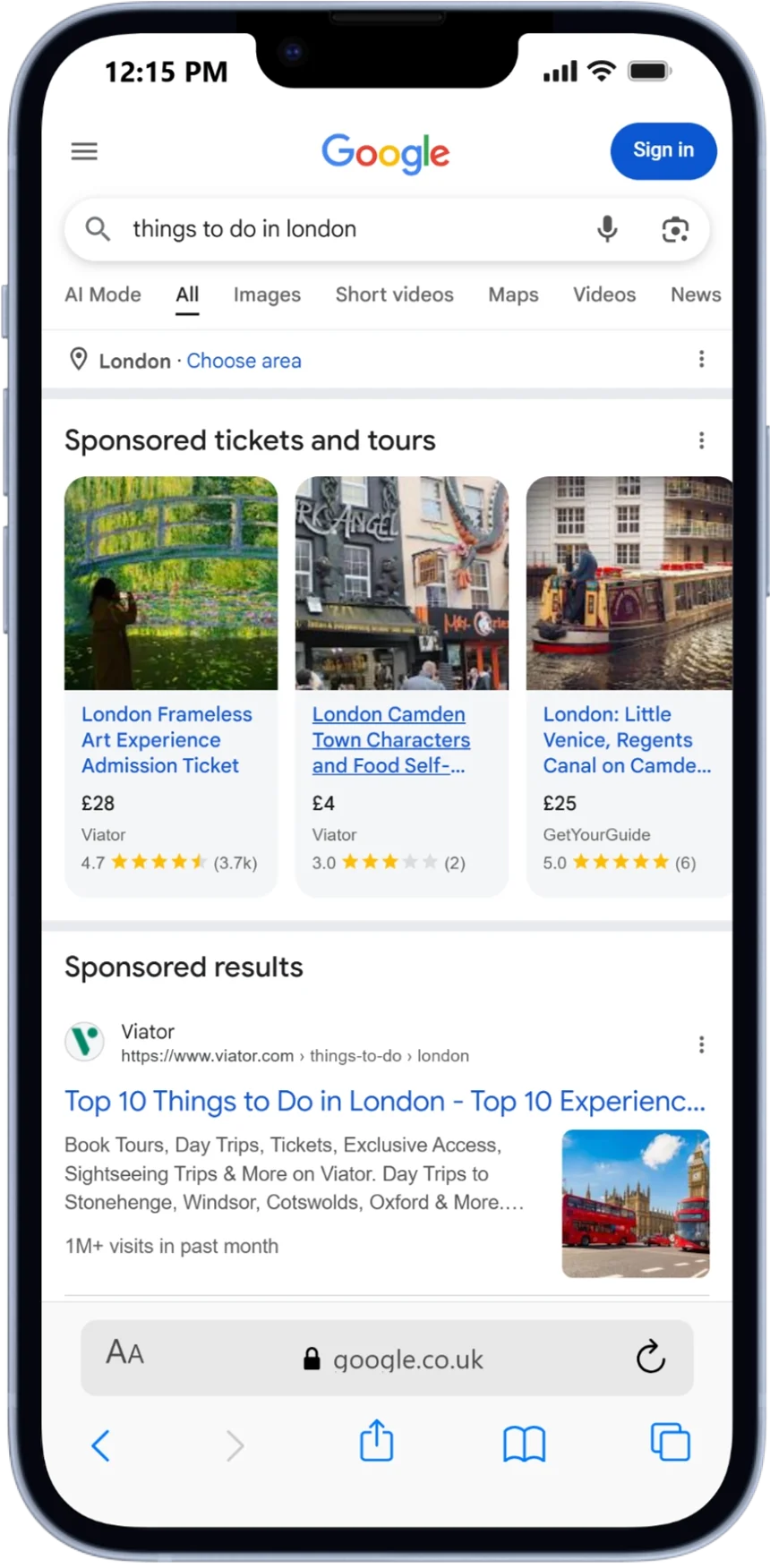
1. Google Travel Campaign Ads
This surface appears at the top of tour and activity search results on both mobile and desktop. It requires participation in Google Things to do as well as running campaigns in your Google Ads account.
Can I get listed here?
- ✅ With Magpie
- ✅ With your ResTech*
- ❌ On your Google Business Profile
*From our experience with marketing agency partners, many ResTechs offer limited support in helping get their clients set up for Ads.
Search example: "Things to do in Berlin"
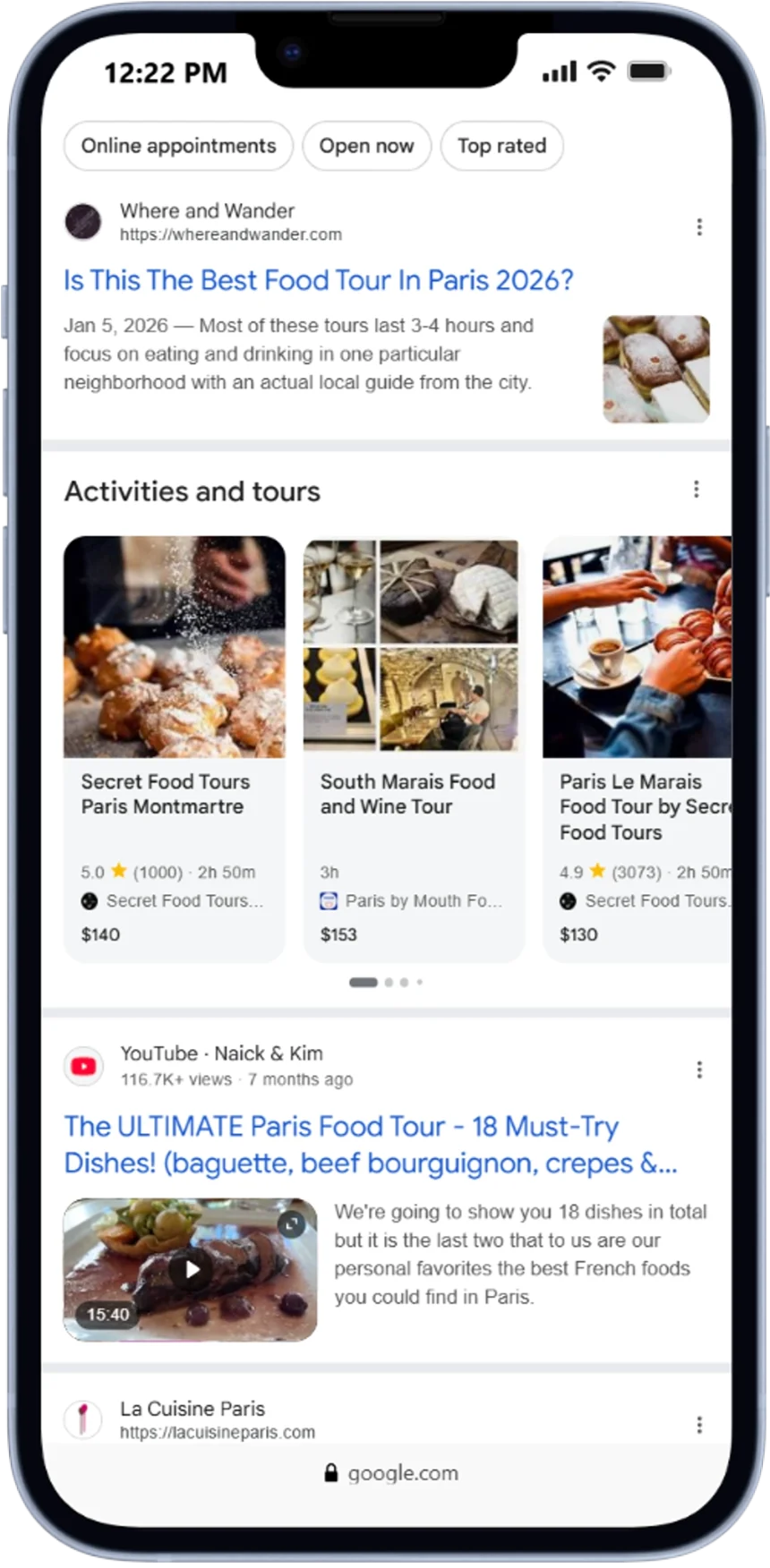
2. Activities and Tours Carousel
This carousel appears on mobile (coming to desktop) when a user searches for tours and activities in a specific location. It is triggered by search terms, which makes it important to control your descriptive content. Another important factor is having a review widget on your landing page and providing that information to Google.
Can I get listed here?
- ✅ With Magpie
- ✅ With your ResTech*
- ❌ On your Google Business Profile
*Many ResTechs do not upload review information, which limits your ability to appear on this Google Things to do surface.
Search example: "London Bus Tours"
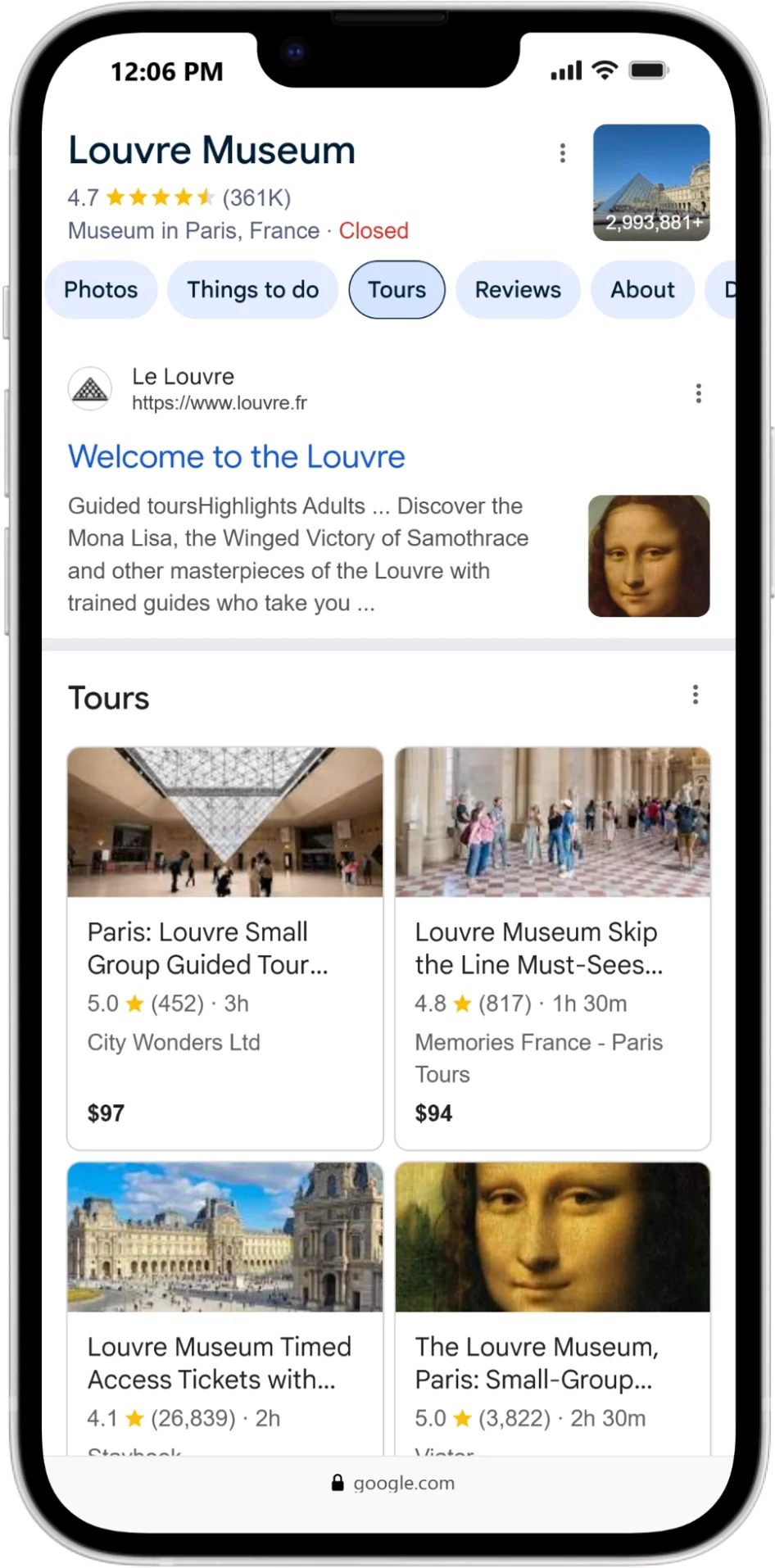
3. Point of Interest Experiences
This surface appears on mobile, desktop, and the Google Maps app when a user searches for a point of interest. Experiences that have tagged the relevant location as a place they visit will appear here.
Can I get listed here?
- ✅ With Magpie
- ✅ With your ResTech*
- ❌ On your Google Business Profile
*Not all ResTechs allow you to control points of interest.
Search example: "Chichén Itzá"
4. Admission Module
This surface appears on desktop, mobile, and the Google Maps app and displays entrance ticket and pass products for attractions. It is sorted by price, although if you are the owner of the attraction you will display at the top with the Official Site tag.
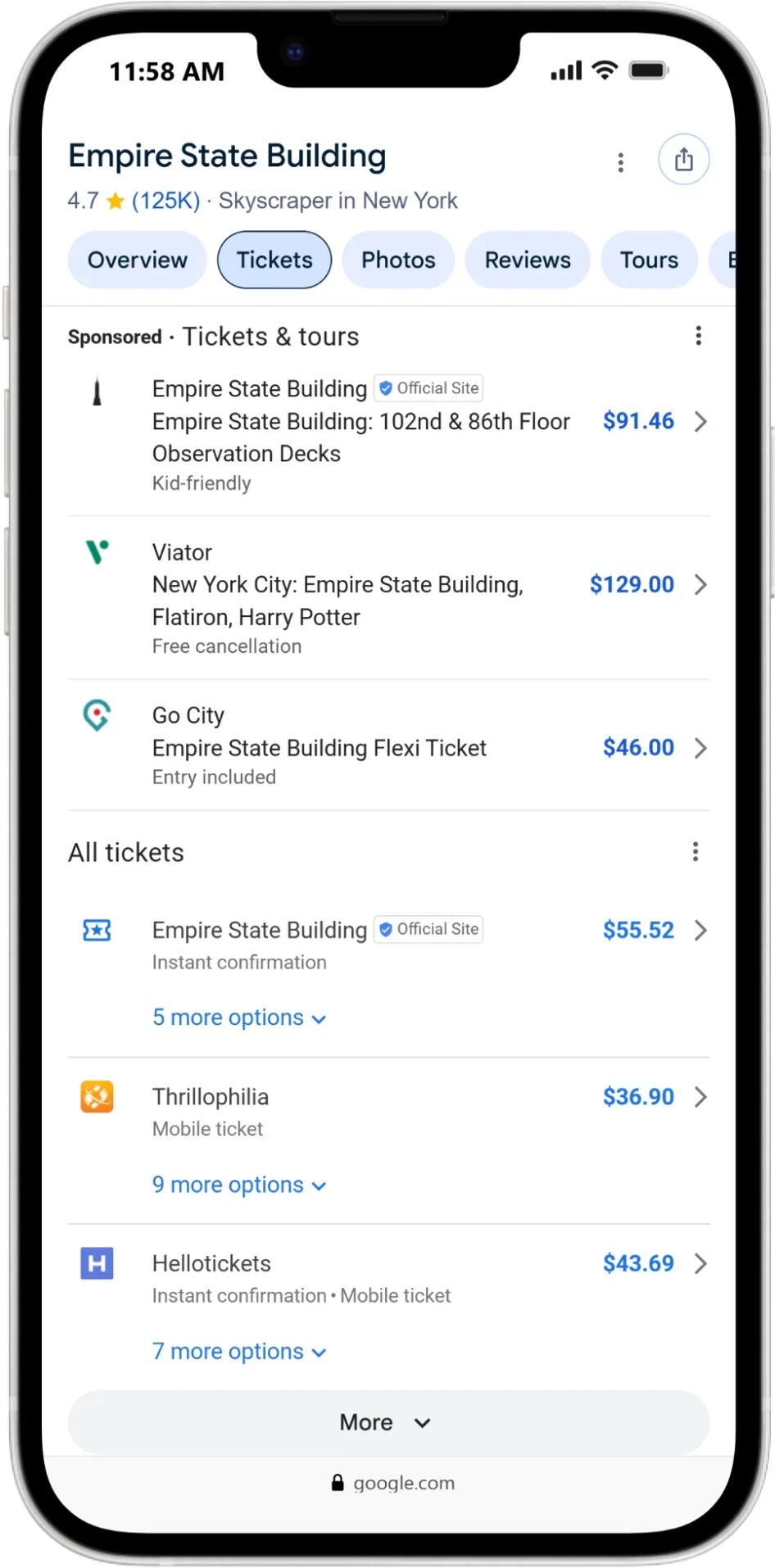
Can I get listed here?
- ✅ With Magpie
- ✅ With your ResTech
- ❌ On your Google Business Profile
*Many of the major attraction ResTechs have no connectivity to Google Things to do.
Search example: "360 Chicago"
5. Operator Booking Module
This surface appears on your Google Business Profile for experience operators (not attractions) on desktop, mobile, and the Google Maps app. If you are the owner, you should be listed at the top with the "Official Site" tag.
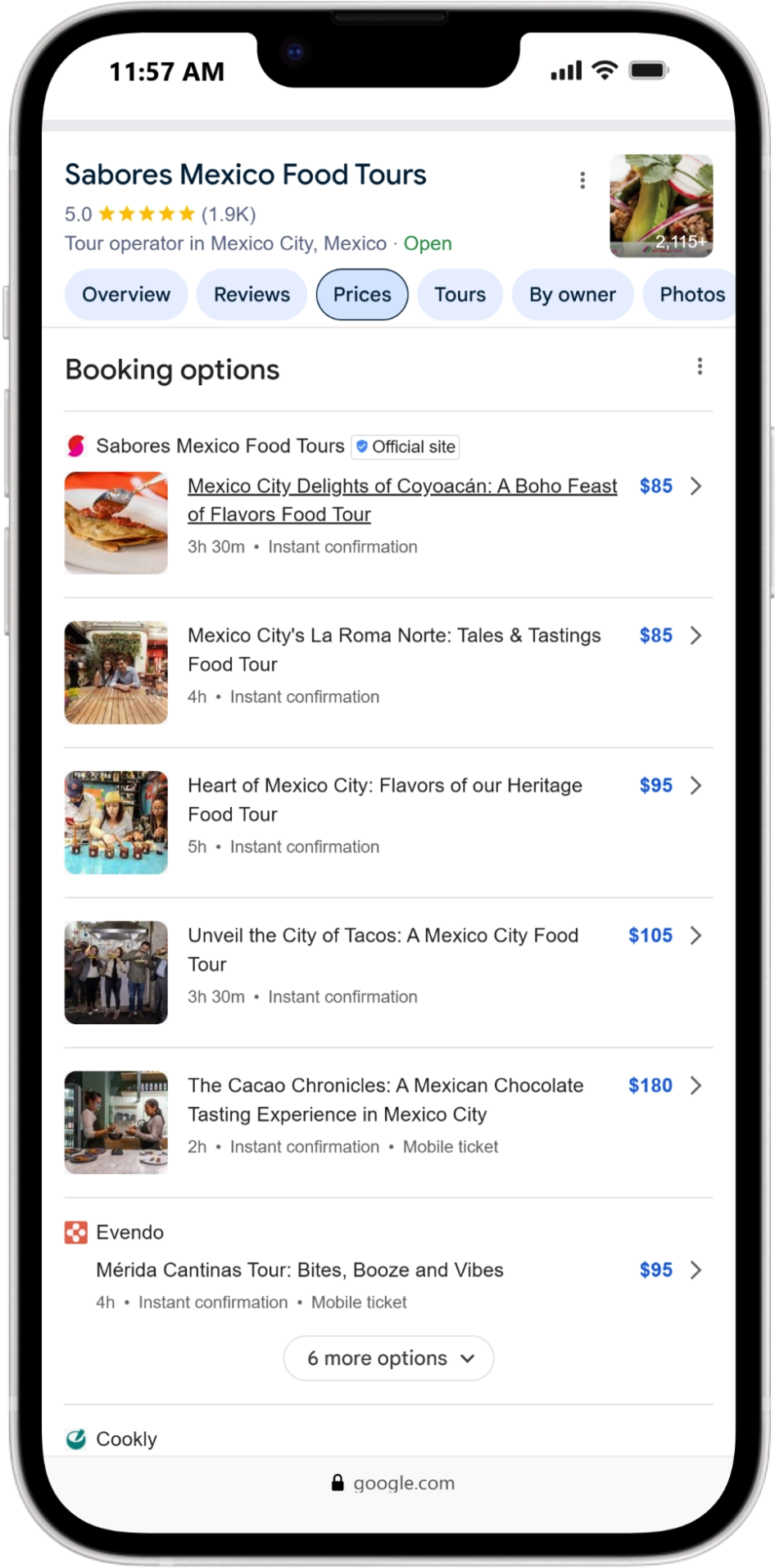
Can I get listed here?
- ✅ With Magpie
- ✅ With your ResTech
- ✅ On your Google Business Profile
Search example: "Go West Tours Australia"
Connectivity Comparison
Here is a summary of your listing options across all six Google Things to do surfaces.